Klyvora
Choosing a GPU server is not just a matter of comparing processor names or headline performance. The right system must fit your models, data pipeline, power limits, and cooling capacity. A rack with limited airflow can turn an impressive benchmark into a throttled machine. Small details matter.
A capable nvidia gpu server manufacturer should explain how its configurations are validated, not simply list components. Ask about GPU compatibility, memory capacity, network adapters, storage options, and support for the software your team uses. Clear thermal data and realistic performance results are more useful than broad claims. Check how firmware updates, spare parts, and warranty service are handled, too. Downtime has a cost.
There are trade-offs. A larger system may offer more compute, but it can also demand more power, space, and specialized cooling. The lowest quote may leave important services unclear. Read the specification carefully. Then ask direct questions.
The following seven tips provide a practical framework for comparing manufacturers, checking technical fit, and evaluating support before purchase. They are useful for planning, but no checklist removes every risk. Requirements change, and vendor answers can be incomplete. That deserves a second look. Involve the people who will install and operate the server, and verify claims against your own workload where possible. A careful choice is rarely the flashiest one. It is the system your team can deploy, maintain, and rely on.
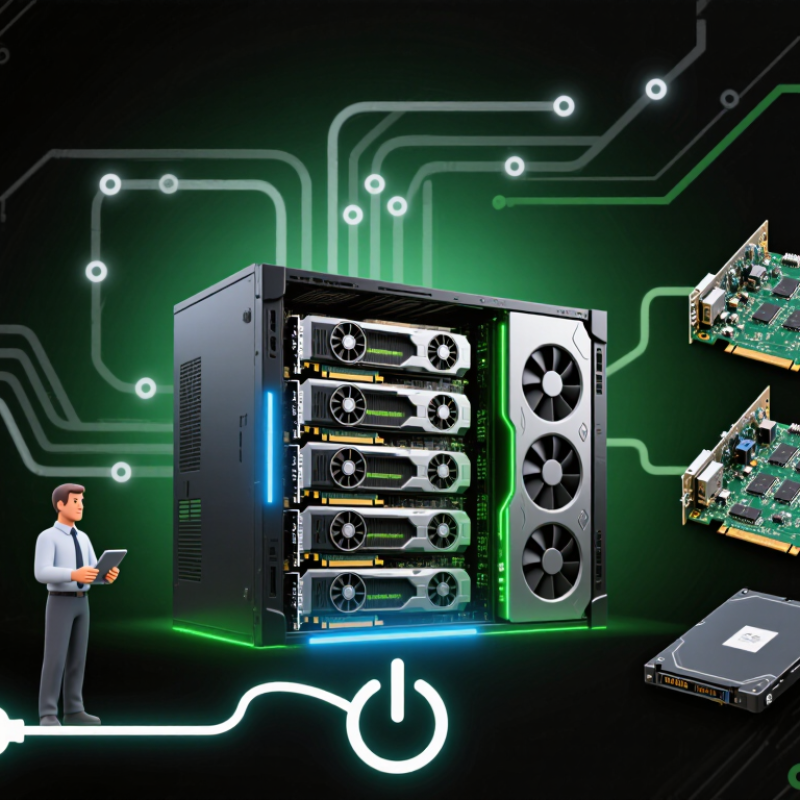
Before evaluating a GPU server manufacturer, define the workload in measurable terms: training, fine-tuning, or inference; model size; sequence length; request volume; and latency target. Training may require fast GPU-to-GPU links and high-bandwidth memory. Inference can depend more on memory capacity, batching, and consistent response times. Record typical utilization, not only peak demand. A model that fits on paper can still stall when data loading and checkpoints compete for storage.
Tip: Share a representative job, dataset size, and performance target with potential manufacturers. Ask for test results using comparable software and settings. Check the full system’s power, cooling, network, and storage requirements—not just its GPU count. Measure before buying.
The Stanford AI Index Report 2024 found that training compute for notable AI models has doubled roughly every five months. That pace makes upgrade planning important, but it does not justify buying the largest system available. Estimate growth, then ask whether the server can expand without replacing the entire rack. Some forecasts will be wrong; leave room to revise them.
Compare complete GPU configurations, not accelerator counts alone. Record memory capacity, memory bandwidth, interconnect topology, and supported precision for each proposed system. Then check CPU model, RAM capacity, storage, PCIe lanes, and network speed. A fast GPU can sit idle if data cannot reach it quickly. Ask for the exact tested configuration; “up to” figures are not a system specification.
Tip 1: Request a rack-level power budget, including peak draw. Tip 2: Confirm cooling requirements and operating limits. Tip 3: Ask whether performance results come from the same GPU count, software stack, and workload you plan to run. The Lawrence Berkeley National Laboratory’s 2024 report estimated U.S. data centers used 176 TWh of electricity in 2023, about 4.4% of national use. It projected 325–580 TWh by 2028. Efficiency deserves close inspection.
Check power supplies, airflow direction, fan redundancy, and service access. Ask for measured noise and thermal behavior under sustained load, not just a brief benchmark. Also compare warranty terms, replacement procedures, and component availability. A polished datasheet can still leave gaps. I would request a sample test plan before purchase, then verify results on representative workloads; that step takes time, but may expose a mismatch early.
GPU-only power estimates for three example server configurations. Compare accelerator count and rated power before checking chassis capacity, power supplies, cooling, CPU, memory, and networking.
Estimates use 700 W and 1,000 W per accelerator as example rated-power values. Totals exclude CPUs, memory, storage, fans, and other system components; actual server power requirements depend on the selected hardware and workload.
A manufacturer’s expertise should show in engineering details, not polished sales language. Ask how its team handles GPU power density, airflow, rack limits, and workload tuning. A useful answer might explain how engineers measure inlet temperatures across a loaded rack, or how they prevent power spikes during simultaneous accelerator use. Vague claims deserve follow-up questions.
Ask for evidence of repeatable quality controls. Request sample burn-in records, component traceability, inspection criteria, and validation results from systems configured like yours. Check whether testing covers sustained compute loads, memory errors, thermal behavior, and firmware compatibility. Details matter. A certificate can support confidence, but it does not replace clear test procedures and recent records.
Talk with the people who will support deployment, not only the sales contact. Can they explain failure escalation, spare-part availability, and how configuration changes are documented? Notice whether they ask about your software stack and cooling environment before recommending a build. That is a good sign. Still, no checklist catches every problem; I would also ask what failed in a past deployment and what the team changed afterward. A candid, specific answer often reveals more than a flawless presentation.
A GPU server is a configured system, not just a list of components. Ask the manufacturer to document GPU count, memory, interconnects, storage, and power requirements against your workload. Request a sample configuration and a change log for substitutions. Small changes can affect cooling, performance, and compatibility. Details matter. IDC’s Worldwide AI and Generative AI Spending Guide projected global AI spending would reach $632 billion by 2028. That growth makes clear configuration and validation increasingly important, not optional.
Delivery promises need evidence. Ask for a dated production schedule covering component allocation, assembly, burn-in testing, and shipment. Confirm what happens if a critical part is delayed. Before acceptance, request test results for thermals, networking, and sustained workloads—not only a successful boot. Technical support should define response times, escalation paths, spare-parts coverage, and remote diagnostics in writing. Ask who handles driver and firmware coordination after installation. A polished service document can still leave gaps. I would check whether the named support team can actually access the system logs and configuration records needed to troubleshoot it. Ask for evidence. Then verify that the proposed service matches your operating hours and deployment location.
Tip 1: Compare complete quotes, not headline prices. Ask the NVIDIA GPU server manufacturer to itemize GPUs, memory, storage, networking, rails, burn-in testing, shipping, and support. Match the exact configuration across quotes; one omitted network card can distort the comparison. Check how long the price remains valid, too. Prices can change.
Tip 2: Read warranty terms before approving a purchase. Confirm when coverage starts, which parts are included, and who pays return shipping. Ask about response times, replacement-part availability, and whether support includes remote diagnosis or onsite service. Get it in writing. A long warranty may still leave costly gaps, so review exclusions and service hours carefully.
Tip 3: Request customer references with systems and workloads similar to yours. Ask how delivery dates, thermal performance, and support issues matched expectations. Speak with a reference directly when possible, and ask about problems as well as successes. No reference tells the whole story. Treat polished testimonials cautiously, and verify that the cited customer actually deployed a comparable server.
Check memory capacity, bandwidth, interconnects, and supported precision. Also record the CPU, RAM, storage, PCIe lanes, and network speed. A fast GPU can wait if data arrives slowly.
Ask for the exact configuration, software stack, and workload behind the results. “Up to” figures are not enough. Small details matter.
Request rack-level peak power, cooling requirements, and operating limits. Check airflow direction, fan redundancy, and service access. Ask for noise and temperature measurements under sustained load.
Request burn-in records, component traceability, inspection criteria, and validation results. Testing should cover sustained compute loads, memory errors, thermal behavior, and firmware compatibility.
Ask how failures are escalated, which spare parts are available, and how configuration changes are documented. Find out what failed in a past deployment and what changed afterward.
Match the exact configuration and request itemized prices for GPUs, memory, storage, networking, rails, testing, shipping, and support. One missing network card can skew the comparison.
Confirm when coverage starts, which parts are included, and who pays return shipping. Ask about response times, replacement parts, service hours, and remote or onsite support. Get the terms in writing.
Look for customers with similar systems and workloads. Ask about delivery, thermal performance, and support problems, not only successes. I would still verify the details; a polished testimonial can leave gaps.
Choosing the right NVIDIA GPU server manufacturer starts with a clear understanding of your workloads, such as AI training, inference, or scientific computing. Define the processing capacity, memory, storage, networking, and scalability your applications require before comparing server options. Then review GPU configurations and system specifications to ensure the components work together efficiently and can support your expected growth.
A reliable manufacturer should demonstrate relevant engineering expertise and consistent quality standards. Ask about customization options, production and delivery timelines, installation guidance, and ongoing technical support. Compare pricing alongside warranty coverage rather than judging offers by upfront cost alone. Finally, check customer references and service commitments to assess whether the manufacturer can provide dependable support throughout the server’s useful life. A careful evaluation of these factors can help you select a solution that fits both your technical needs and budget.