Klyvora
Selecting an ai computing server manufacturer is no longer a simple price comparison. It is a long-term infrastructure decision.
Gartner projects worldwide AI spending will reach about $1.5 trillion in 2025. That growth increases demand for reliable GPU servers, high-speed networking, and efficient cooling. The International Energy Agency also warns that data-center electricity use could nearly double by 2030. Power matters.
A suitable manufacturer must prove more than impressive benchmark scores. Buyers should examine GPU compatibility, rack density, thermal design, liquid-cooling options, memory bandwidth, and software support. A server that performs well in a laboratory may struggle inside a crowded rack at 30°C ambient temperature. Small details become expensive quickly.
Industry research supports this cautious approach. Uptime Institute’s Global Data Center Survey repeatedly identifies power failures, cooling problems, and human error as major outage risks. Therefore, vendor testing, remote monitoring, component traceability, and replacement policies deserve close attention. Certifications and documented validation also provide stronger evidence than marketing claims.
The best evaluation combines technical expertise with operational experience. Ask for workload-specific results, not generic figures. Request references from organizations running similar models. Check warranty response times before signing a contract.
No shortlist is perfect.
Even experienced teams can underestimate integration costs. This guide presents seven practical tips for comparing an ai computing server manufacturer, with attention to performance, energy use, reliability, security, and long-term support. The goal is not to find the loudest promise. It is to find a partner whose hardware remains dependable when workloads, temperatures, and budgets change.
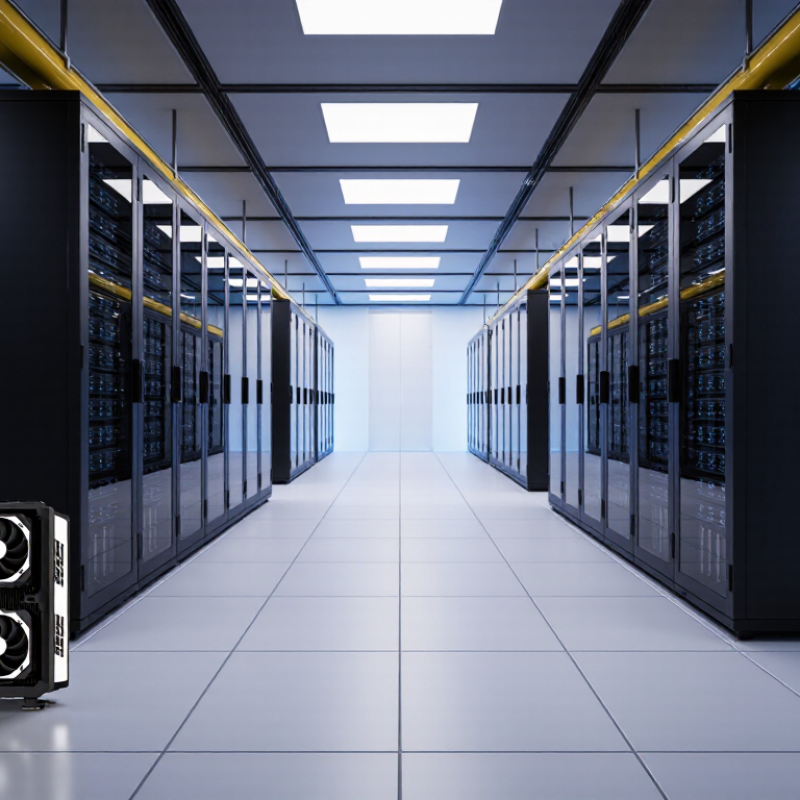
Choosing an AI computing server manufacturer requires more than comparing processor counts. Study its engineering depth, testing methods, and support structure. A capable manufacturer should explain GPU compatibility, memory bandwidth, cooling design, and power requirements in clear language. Vague specifications deserve careful questions.
Request evidence from comparable deployments. Ask how the manufacturer handles model training, inference workloads, virtualization, and high-speed networking. Look for thermal test records, hardware validation procedures, and documented firmware updates. Rack-level details matter. Airflow diagrams, cable layouts, and service access can reveal practical competence. Small details often decide uptime.
Support capability is equally important. Check response times, spare-part availability, remote diagnostics, and on-site repair coverage. Ask whether engineers can analyze performance logs instead of replacing parts blindly. Security controls should include access management, audit records, and secure update processes. Independent certifications can strengthen credibility, but they do not replace technical discussions.
Consider the manufacturer’s experience with your operating environment. A server may perform well in a laboratory, yet struggle in a crowded data center. Power limits, noise, floor loading, and maintenance windows must be tested early. No evaluation is perfect. I would also request a pilot system before signing a large contract. This step can expose unstable drivers, disappointing support, or unrealistic performance claims.
Tip 1: Start with the workload, not the server catalog. Image classification may run well on one GPU with moderate memory. Large language model inference needs more memory, stronger interconnects, and careful batching. Video analysis often requires sustained throughput rather than short bursts. Write down model size, input volume, response time, and expected users. These details give a manufacturer a practical design target.
Tip 2: Match every component to daily pressure. GPU memory should hold the model and active data without constant transfers. Check GPU-to-GPU communication, PCIe capacity, CPU cores, system memory, and network bandwidth. A fast accelerator can still wait behind weak storage or limited data movement. For training, examine power delivery and cooling under continuous loads. Heat matters. Ask for measured performance using workloads similar to yours, not only peak figures. I once focused too heavily on accelerator speed and underestimated storage latency. That mistake increased experiment time.
Tip 3: Treat expansion and support as workload specifications. Choose enough slots for future accelerators, faster networking, and local storage. Confirm rack depth, noise limits, power availability, and maintenance access. Request thermal test results from the manufacturer. Also ask how firmware updates, spare parts, and warranty repairs are handled. Vendor benchmarks can be useful, but they are not neutral evidence. Run a small acceptance test with your own models before purchasing. Results may differ. That difference deserves investigation.
| Tip | AI Workload | Typical Workload Profile | Recommended Server Specification | Key Selection Metric | Manufacturer Evaluation Point |
|---|---|---|---|---|---|
| 1. Define the AI workload first | Model inference | High request volume, low response latency, continuous operation | 1–4 accelerators, 16–64 CPU cores, 128–512 GB RAM, NVMe storage | Latency, requests per second, accelerator utilization | Validated inference benchmarks using the intended model and batch size |
| 2. Match accelerator memory to model size | Large language model inference | Memory-intensive model weights, key-value cache, and concurrent users | At least 1.3–1.5× the estimated model memory; 256 GB–1 TB system RAM for larger deployments | Usable accelerator memory and memory bandwidth | Clear documentation of supported accelerator memory, partitioning, and expansion options |
| 3. Check interconnect performance | Distributed model training | Frequent synchronization between multiple accelerators and servers | 4–8 accelerators per node, high-bandwidth peer-to-peer links, 100–400 Gb/s networking | Scaling efficiency and communication bandwidth | Measured multi-node scaling results, topology diagrams, and network compatibility |
| 4. Size CPU, RAM, and storage correctly | Computer vision and data preprocessing | Large image or video datasets, parallel decoding, frequent data movement | 32–128 CPU cores, 256 GB–1 TB RAM, high-IOPS NVMe cache, scalable data storage | Data-loader throughput, storage IOPS, and CPU utilization | Storage configuration flexibility, RAID options, and support for high-speed data networks |
| 5. Verify power and cooling capacity | High-density AI training | Sustained high power draw and thermal load over many hours or days | Redundant power supplies, high-airflow chassis, hot-aisle compatibility, and facility-verified power budget | Performance consistency under sustained load | Thermal test reports, acoustic and power data, airflow requirements, and rack integration support |
| 6. Plan for scalability and serviceability | Research, experimentation, and growing production clusters | Changing models, rising dataset sizes, and phased infrastructure expansion | Spare PCIe capacity, modular storage, remote management, replaceable fans, and upgradeable networking | Expansion capacity and mean time to repair | Lifecycle roadmap, spare-parts availability, firmware policy, and on-site service coverage |
| 7. Compare total cost of ownership | Any production AI deployment | Performance requirements balanced against electricity, support, software, and facility costs | Configuration selected by performance per watt, expected utilization, warranty term, and upgrade path | Cost per training hour, cost per million inferences, and power usage effectiveness | Transparent pricing, warranty terms, energy estimates, deployment services, and measurable service-level commitments |
Note: Recommended specifications are planning ranges. Final sizing should be validated with the target model, dataset, batch size, concurrency level, software stack, and data-center power and cooling limits.
Tip 1: Match performance to real workloads. Test training speed, inference latency, memory capacity, and data movement using your own models. A high accelerator count may look impressive, yet poor interconnects can create costly bottlenecks.
Tip 2: Examine scalability beyond the first purchase. Ask whether servers can expand across nodes without complicated redesigns. Check network bandwidth, accelerator compatibility, storage throughput, and rack density.
Tip 3: Request measurable benchmark evidence. Reliable suppliers should provide test conditions, software versions, batch sizes, and power readings. Marketing numbers alone are not enough. A practical acceptance test protects your budget.
Tip 4: Measure energy efficiency at useful performance levels. Compare performance per watt during training and inference, not only at idle.
Tip 5: Inspect cooling design carefully. Airflow paths, liquid-cooling options, fan control, and room temperature limits affect stability. Small thermal problems become serious during week-long training runs.
Tip 6: Evaluate operational reliability. Review component quality, firmware management, diagnostic tools, replacement procedures, and technical response times. Ask how failures are handled during overnight jobs.
Tip 7: Study the total cost of ownership, including electricity, cooling, maintenance, and future upgrades. A cheaper server can become expensive when efficiency is weak.
No evaluation is perfect. My own testing can overvalue peak speed and undervalue daily maintenance. That mistake deserves attention. Choose a manufacturer that shares clear data, accepts independent testing, and explains limitations honestly.
Choosing an AI computing server manufacturer requires more than comparing processor speed or storage capacity. Real workloads expose weak engineering quickly. Ask for test results using models, batch sizes, and temperatures similar to your environment.
Tip 1: Check reliability records. Request failure rates, burn-in procedures, and replacement timelines. A strong manufacturer explains how systems behave after continuous operation.
Tip 2: Inspect component quality. Review power supplies, cooling paths, memory protection, and firmware controls. Small details can prevent expensive downtime.
Tip 3: Verify security practices. Look for secure boot, signed firmware, access logging, vulnerability response, and clear data-handling policies. Security claims need evidence, not attractive wording.
Tip 4: Study certifications. Confirm relevant safety, electromagnetic compatibility, environmental, and information-security certifications. Check whether certificates apply to the exact server configuration.
Tip 5: Test technical support before purchasing. Send detailed questions about GPU errors, thermal alerts, and driver compatibility. Slow or vague replies are warning signs.
Tip 6: Examine service coverage. Confirm spare-part availability, remote diagnosis, on-site repair options, and escalation procedures. Written service-level commitments matter more than friendly promises.
Tip 7: Request customer references with similar workloads. Ask about outages, firmware updates, and support quality after installation. One reference is not enough.
A manufacturer may pass every checklist and still disappoint under pressure. I have seen teams overvalue peak performance and overlook noisy fans, delayed repairs, or unclear warranty limits. Leave room for independent testing. That extra step may reveal assumptions nobody questioned.
7 Tips for Choosing an AI Computing Server Manufacturer
Compare three-year total cost, not only the purchase quote. Include GPUs, memory, networking, electricity, cooling, maintenance, and spare parts. The International Energy Agency’s Energy and AI report (2025) estimates data-center electricity demand may reach 945 TWh by 2030. Power efficiency now affects procurement decisions. Ask for measured performance per workload, not vague efficiency claims. Request a support SLA with response times, replacement procedures, and clear warranty limits. Cheap hardware becomes expensive during downtime.
Review customization carefully. Confirm rack dimensions, firmware control, accelerator compatibility, storage options, and remote management. A good manufacturer should document validation testing and provide change-control records. Customization is useful, but excessive modification can delay certification and complicate repairs. This trade-off is often underestimated. Uptime Institute’s Global Data Center Survey 2024 continues to identify power and cooling failures among major outage causes. Require thermal testing under sustained AI loads, including high ambient temperatures.
Examine delivery terms line by line. Confirm production lead time, partial-shipment rules, inspection rights, customs responsibility, and remedies for late delivery. Ask whether replacement units come from local inventory. Require a written acceptance test before final payment. Check serial-number records and component traceability. Forecasts are never perfect. A six-month demand estimate can fail quickly. Build a review point into the contract, rather than locking every configuration today. References from comparable deployments are more useful than polished demonstrations.
Compare total cost, customization, delivery terms, power efficiency, warranty coverage, service capability, and upgrade flexibility before selecting a manufacturer.
Three-year operating cost is calculated from continuous server power consumption × 8,760 hours × 3 years × an electricity rate of $0.12/kWh. The calculation excludes hardware purchase price, taxes, financing, and facility costs, so buyers can add supplier quotations for a complete total-cost comparison.
Compare engineering depth, testing methods, cooling design, memory bandwidth, and support quality. Processor counts are not enough.
Test your own models, batch sizes, and temperatures. Measure training speed, inference latency, memory use, and data movement. Marketing numbers can mislead.
Compatible accelerators may still perform poorly with weak interconnects. Check network bandwidth and software support. Bottlenecks hide there.
Request thermal records, benchmark conditions, software versions, power readings, and validation procedures. Ask for comparable deployment examples.
Inspect airflow paths, fan control, room-temperature limits, and liquid-cooling options. Measure performance per watt during real workloads. Idle readings are incomplete.
Confirm response times, spare-part access, remote diagnosis, and on-site repair coverage. Ask how overnight failures are handled. Friendly promises are not enough.
Look for secure boot, signed firmware, access management, audit logs, and secure updates. Request evidence for every major claim.
Run a pilot system before signing a large contract. Check driver stability, noise, maintenance access, and support response. My testing may overvalue peak speed. Daily upkeep still matters.
Choosing the right ai computing server manufacturer is an important decision for organizations building reliable and scalable AI infrastructure. Start by examining the manufacturer’s technical capabilities, engineering experience, production capacity, and understanding of modern AI workloads. The server’s processors, accelerators, memory, storage, networking, and cooling design should closely match your applications, whether they involve model training, inference, data analysis, or high-performance computing.
A thorough evaluation should also consider performance benchmarks, future scalability, energy efficiency, system reliability, data security, technical support, and relevant certifications. Beyond the initial purchase price, compare the total cost of ownership, including power consumption, maintenance, upgrades, and deployment expenses. Flexible customization options can help ensure the system fits your operational requirements, while clear delivery schedules, warranty policies, and service terms reduce project risks. By assessing these factors together, buyers can select a capable and dependable manufacturer that supports both current AI projects and long-term infrastructure growth.